
WineZGUI - Lightweight Linux Frontend for Wine Gaming
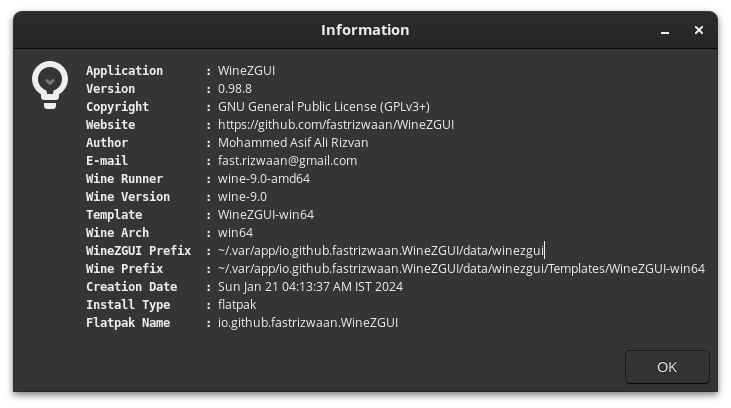
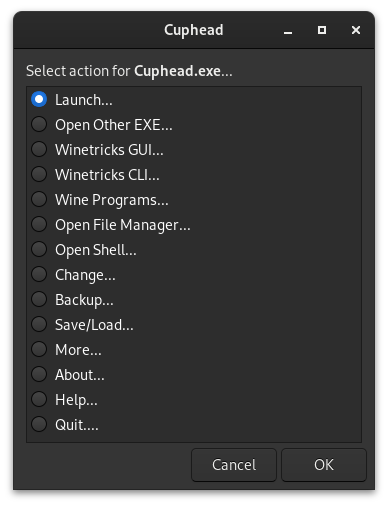
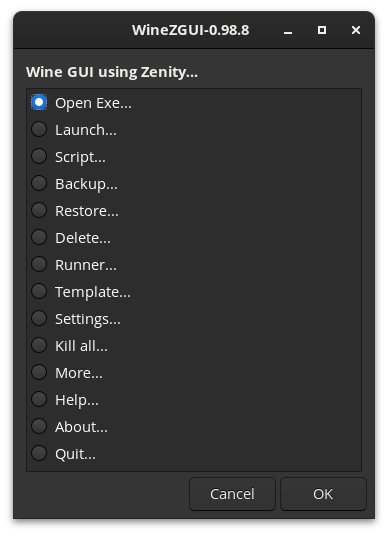
Discover how the WineZGUI Linux wine frontend simplifies running Windows games using lightweight Zenity scripts. Read our full editorial review here.
Simplifying Compatibility on Linux
For Linux gamers, managing compatibility layers can often feel like a chore. The WineZGUI Linux wine frontend changes this dynamic by offering a streamlined, Zenity-powered interface that replaces complex terminal commands with straightforward graphical prompts. Developed by Mohammed Asif Ali Rizvan, this utility is designed for users who want to run Windows executables quickly without the heavy overhead of larger gaming launchers.
Key Features of the WineZGUI Linux Wine Frontend
At its core, this tool simplifies Wine prefix management through a collection of optimized Bash scripts. Here is what makes the WineZGUI Linux wine frontend stand out:
- Isolated Environments: It automatically creates a separate Wine prefix for every individual EXE file you launch, preventing dependency conflicts.
- Seamless Desktop Integration: You can run Windows games directly from your native Linux file manager and easily generate desktop shortcuts.
- Library Importing: Effortlessly import existing Wine directories from Bottles, Lutris, or Heroic Games Launcher, and generate launcher shortcuts instantly.
- Flexible Runner Management: Download and switch between different Wine runners, such as Proton-GE, to optimize performance for specific titles.
- Backup and Portability: Create complete game bundles (combining the prefix, game, and runner) to easily backup or share your setups.
Who Is This Tool For?
If you prefer a lightweight, modular system over all-in-one game managers, this WineZGUI Linux wine frontend is an excellent fit. It gives you precise control over your prefix configurations, shell terminals (supporting Konsole, GNOME Terminal, and XFCE4 Terminal), and runner versions without cluttering your system. Note that for optimal setup, you will need to ensure dependencies like DXVK, VKD3D, or Winetricks are configured within your runners.
Discover More Online
This smart utility provides an elegant bridge between raw terminal configurations and heavy gaming suites. To explore its full capabilities, view detailed documentation, or find out how to install it on your distribution, head over to the official WineZGUI page on Flathub today.